Latest Updates
How to Configure WHMCS General Settings
How to Configure WHMCS General Settings WHMCS is a powerful automation and billing platform widely used by web hosting providers, domain registrars, and digital service businesses. One of the first tasks administrators should complete…
How to Configure WHMCS General Settings
WHMCS is a powerful automation and billing platform widely used by web hosting providers, domain registrars, and digital service businesses. One of the first tasks administrators should complete after installing WHMCS is configuring the WHMCS General Settings. These settings determine how your system handles billing, client communication, ordering, localization, security, invoicing, and support operations.
Properly configured WHMCS General Settings help create a professional customer experience while ensuring that your business processes run smoothly and efficiently. Whether you are launching a new WHMCS installation or reviewing an existing setup, understanding these settings is essential for maintaining a secure and reliable billing environment.
What Are WHMCS General Settings?
WHMCS General Settings are the central configuration options that control the behavior of your WHMCS installation. They allow administrators to define company details, customize invoice preferences, configure email delivery, manage domain settings, enhance security, and control customer-facing functionality.
These settings serve as the foundation for your WHMCS environment and impact nearly every aspect of daily operations.
Why Configure WHMCS General Settings?
Configuring WHMCS General Settings provides several important advantages:
- Displays accurate company information on invoices and emails.
- Ensures clients see the correct language, currency, and regional settings.
- Controls ordering and checkout behavior.
- Improves email delivery reliability.
- Enhances account security.
- Automates billing and invoicing processes.
- Streamlines support ticket management.
- Maintains consistency across your client area.
Without proper configuration, clients may experience billing issues, incorrect notifications, or an inconsistent ordering process.
How to Configure WHMCS General Settings
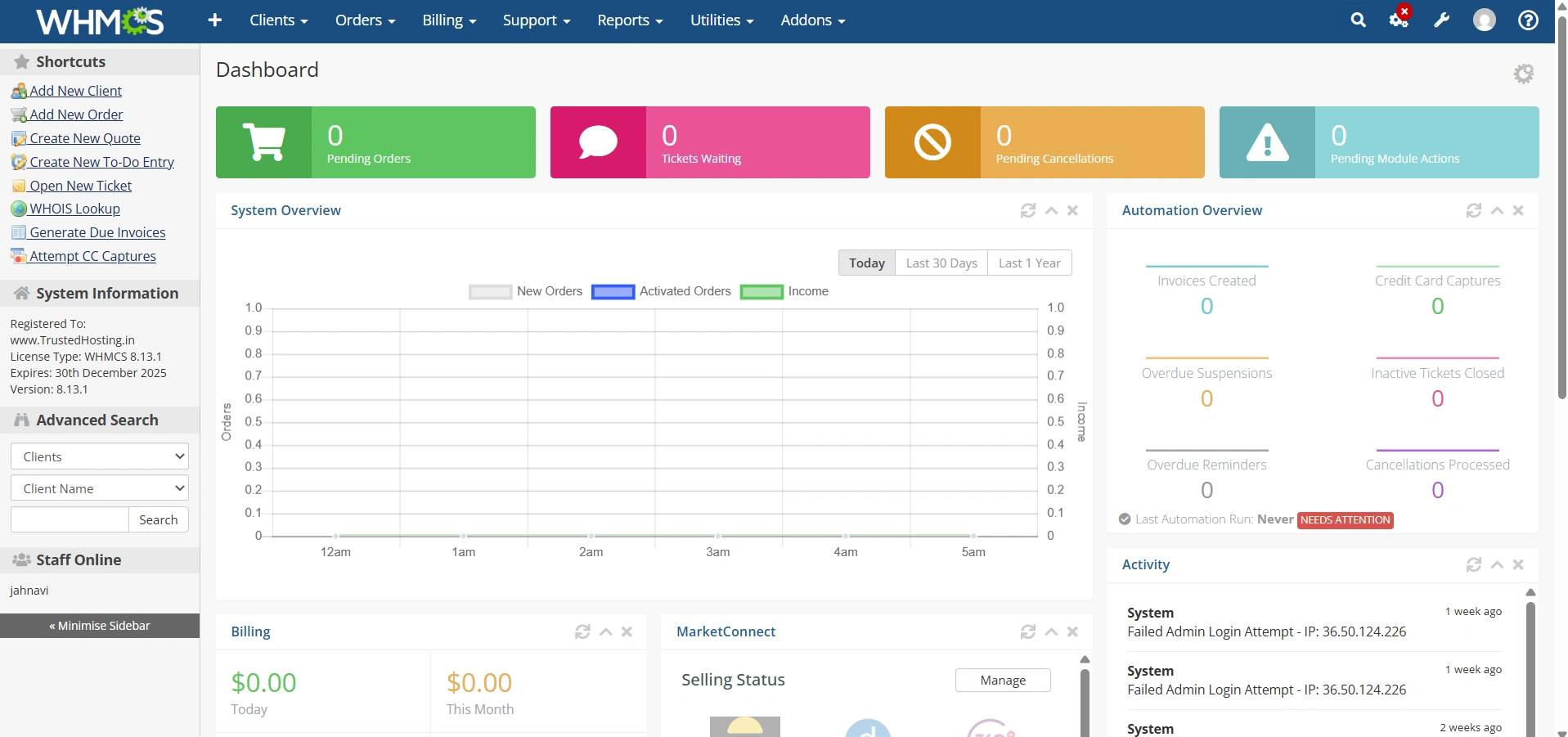
Step 1: Log in to the WHMCS Admin Area
Access your WHMCS administration panel using your administrator credentials.
Step 2: Open General Settings
Navigate to:
Configuration > System Settings
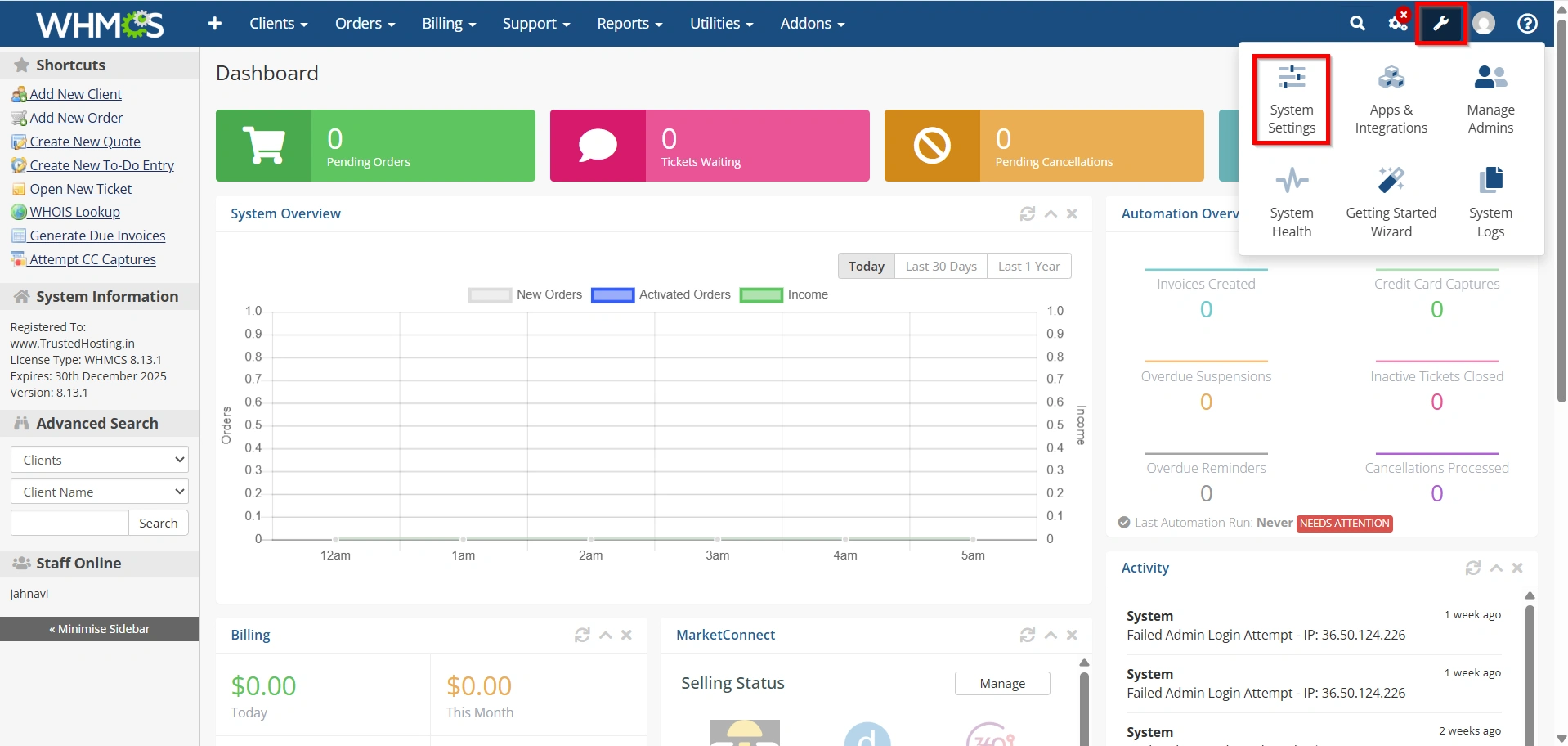
- General Settings
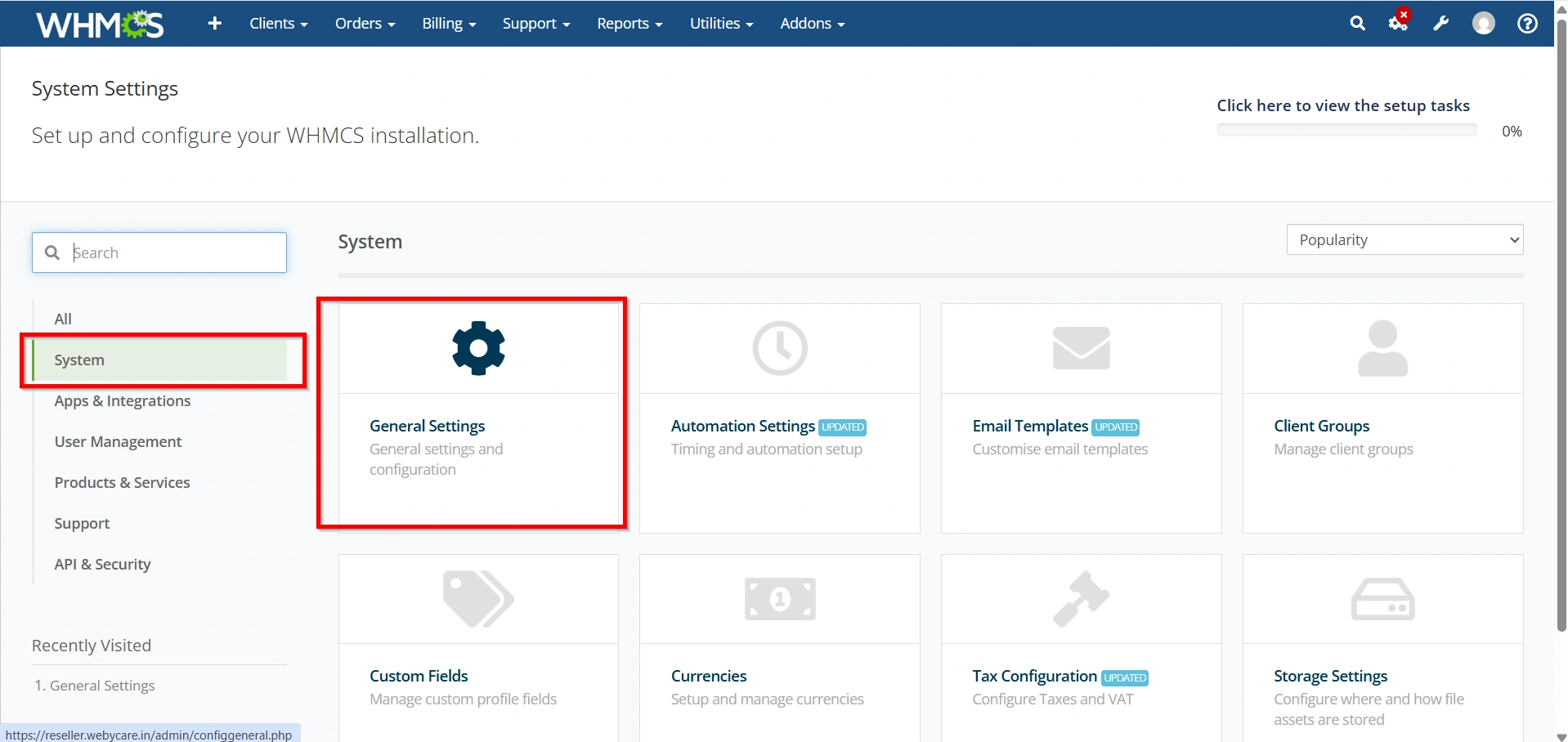
The General Settings page contains multiple tabs used to configure different areas of WHMCS.
Step 3: Configure General Settings
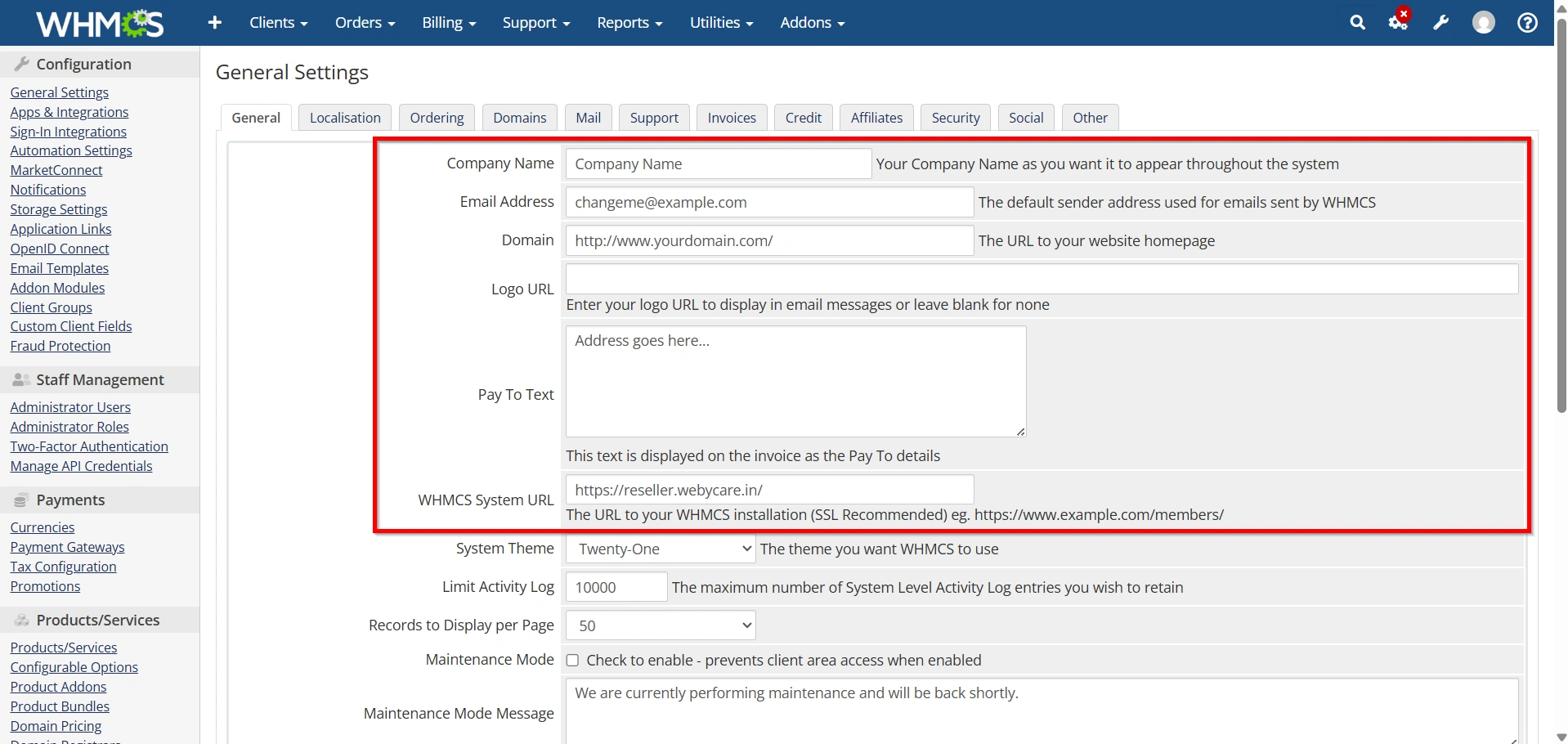
Select the General tab.
Configure:
- Company Name
- Email Address
- Company Address
- Phone Number
- WHMCS System URL
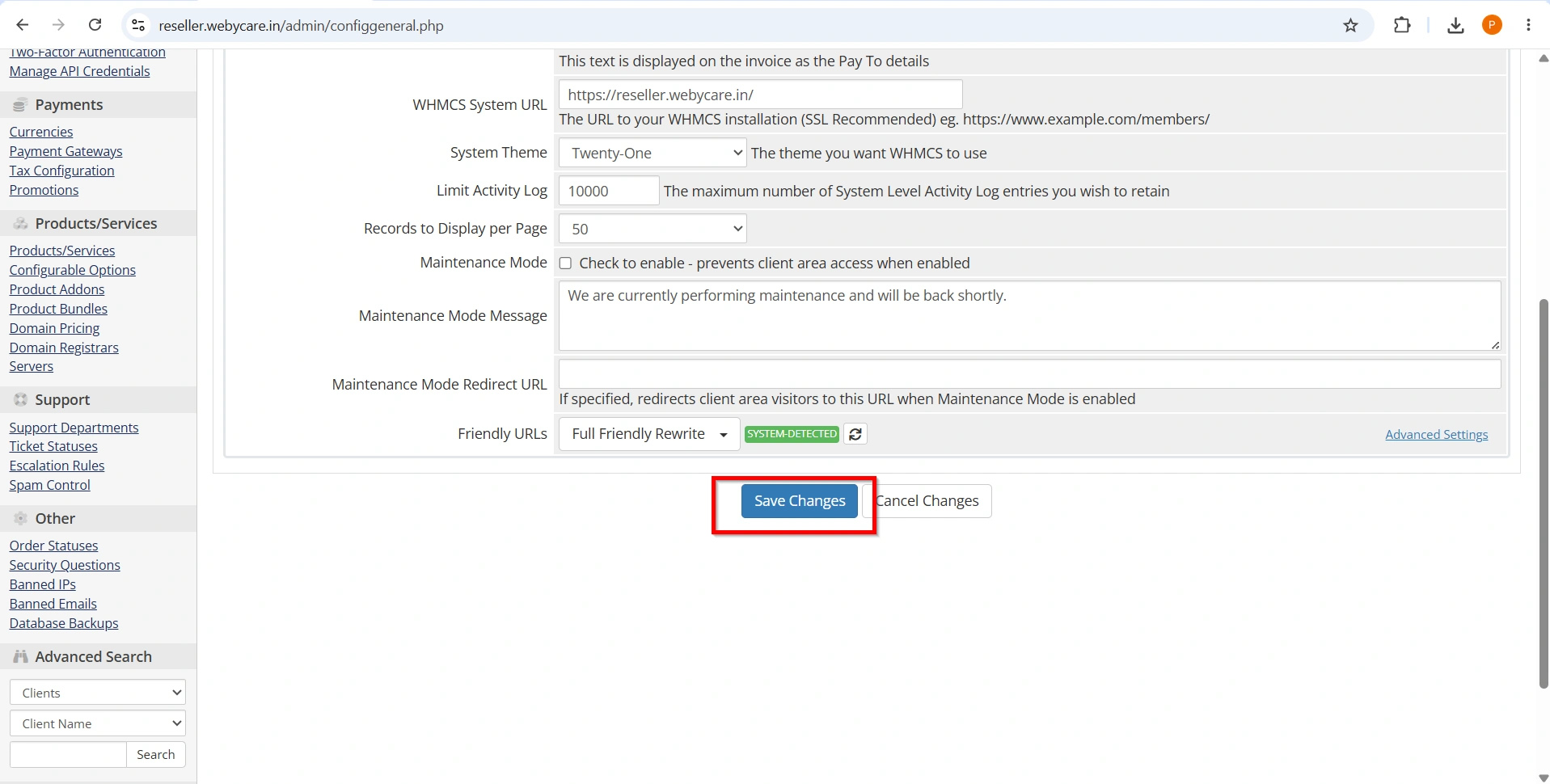
- Click Save Changes.
Step 4: Configure Localization Settings
- Open the Localization tab.
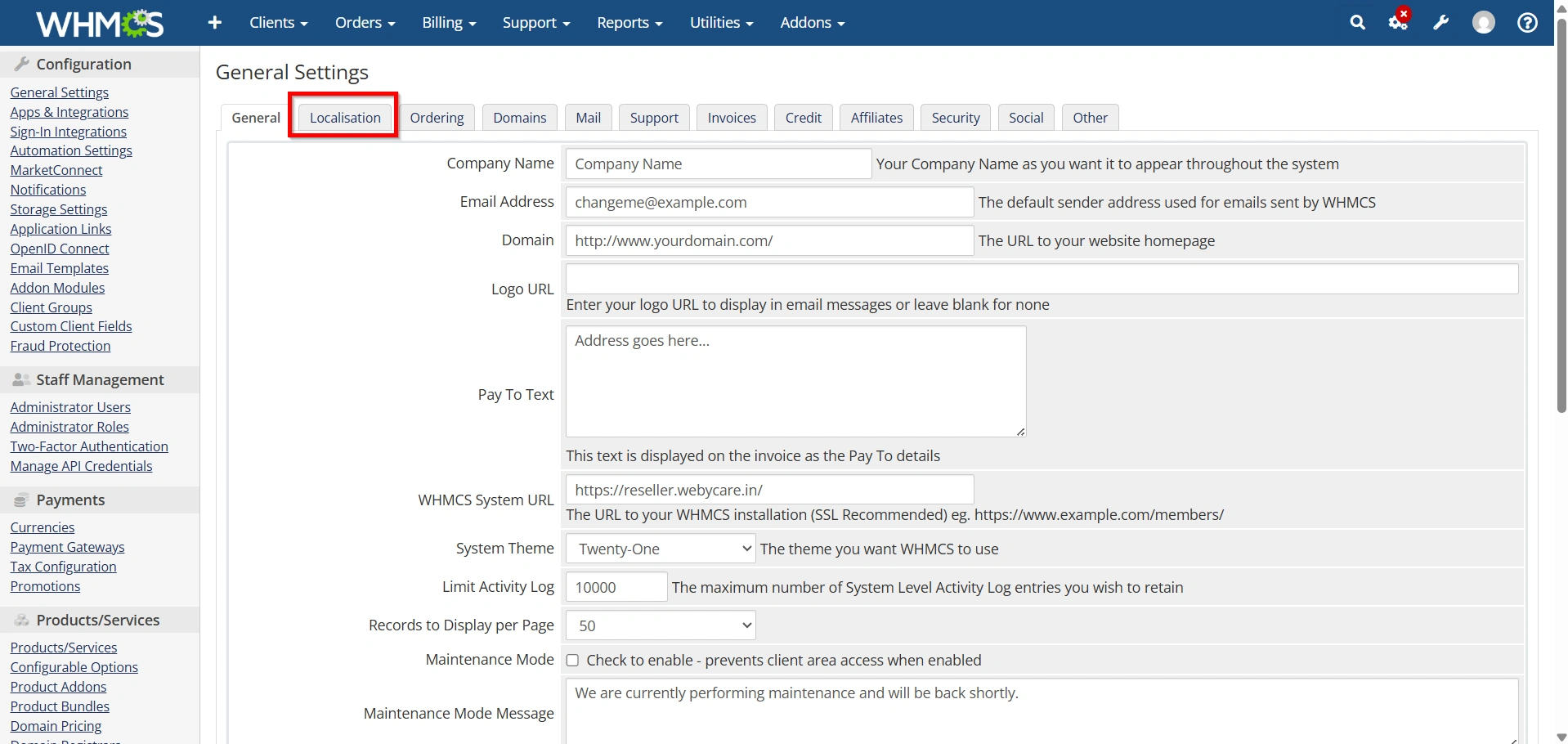
Set:
- Default Language
- Default Country
- Date Format
- Time Zone
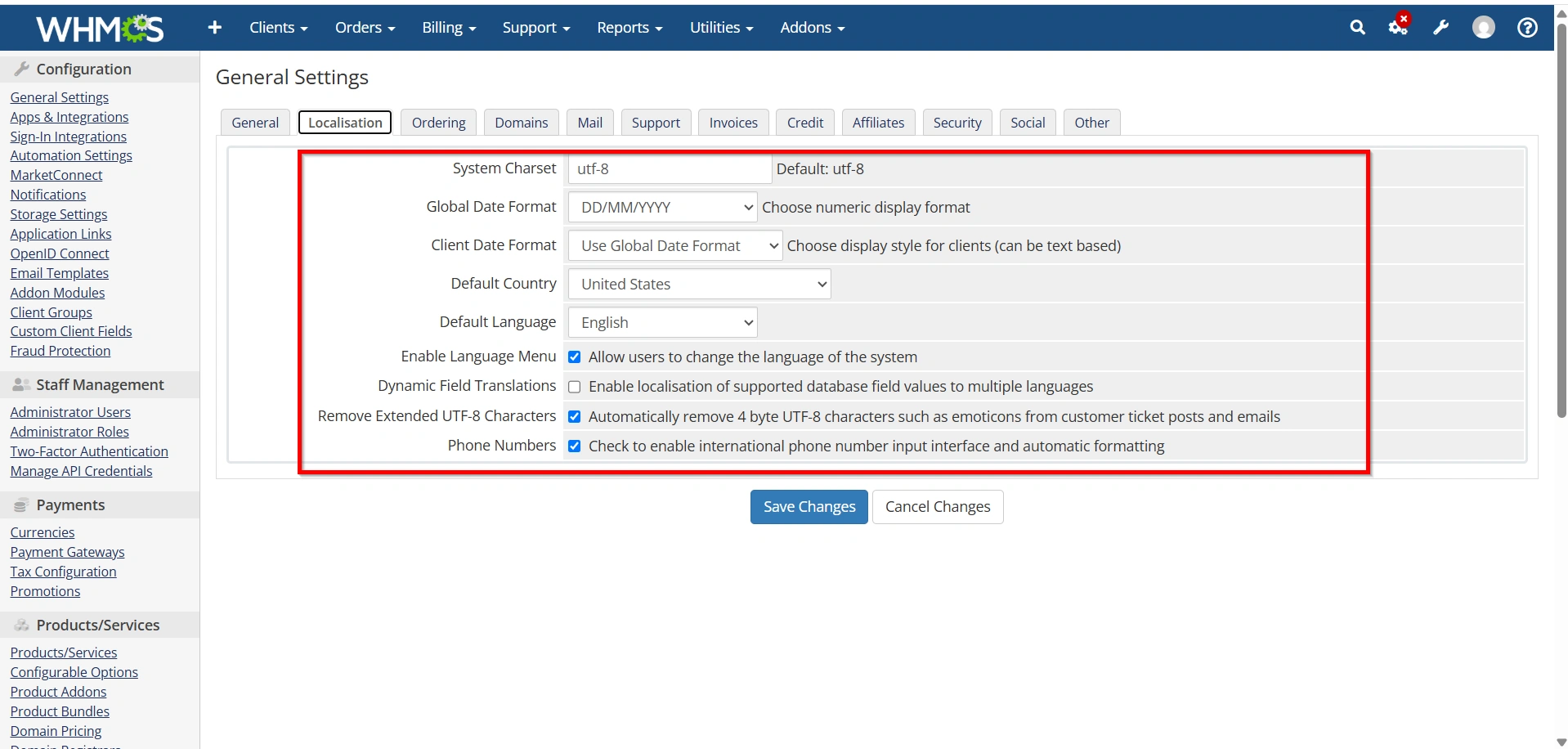
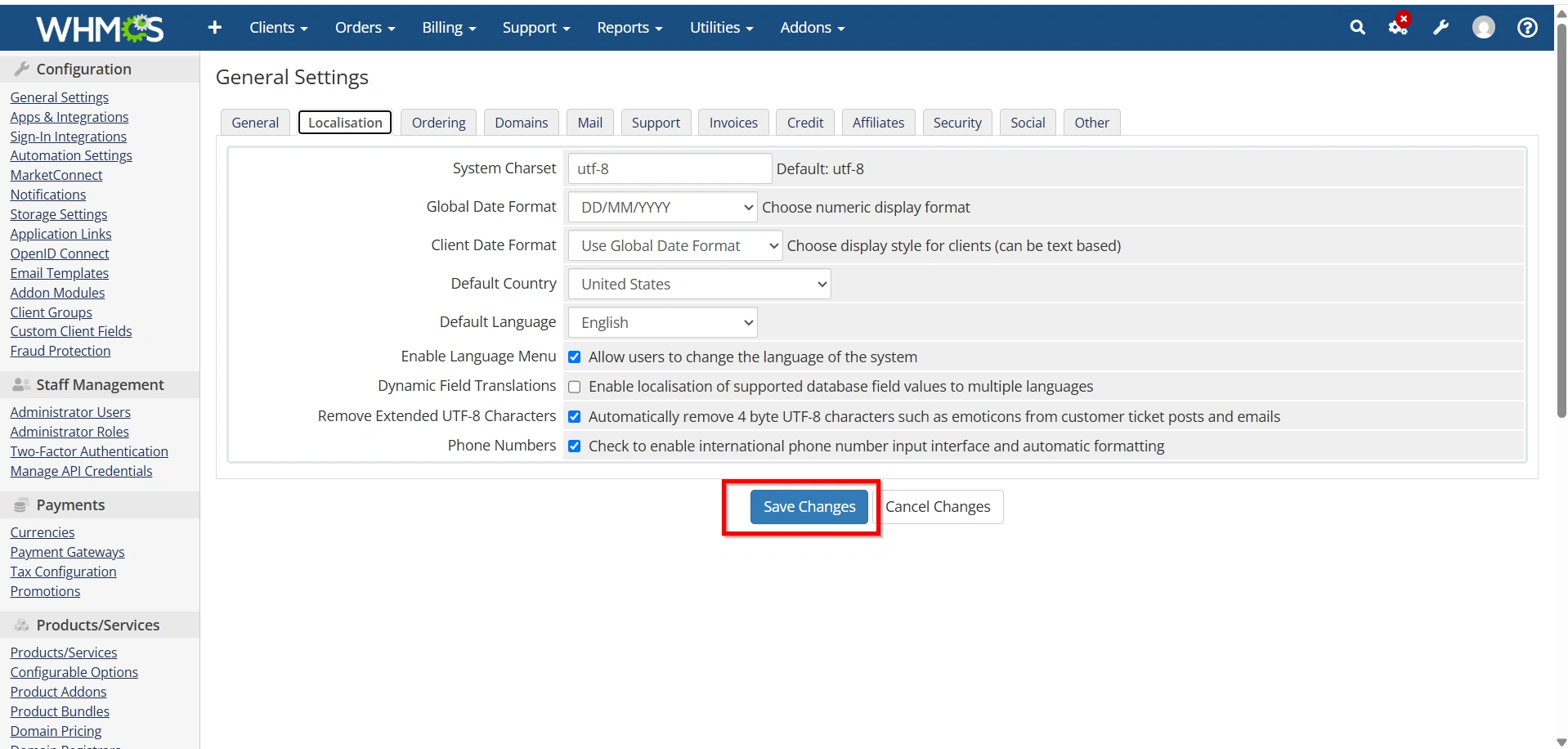
- Save your changes.
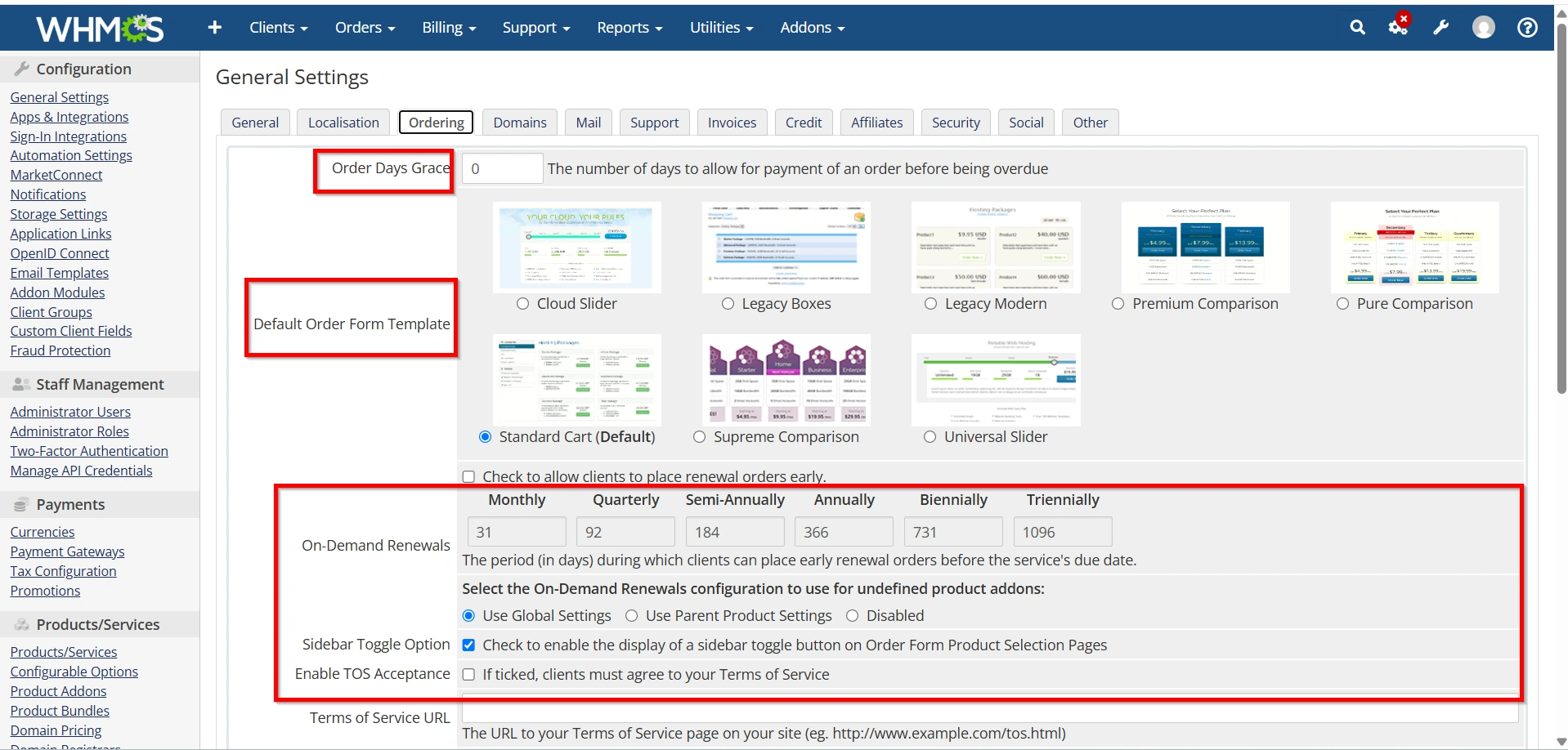
Step 5: Configure Ordering Settings
- Select the Ordering tab.
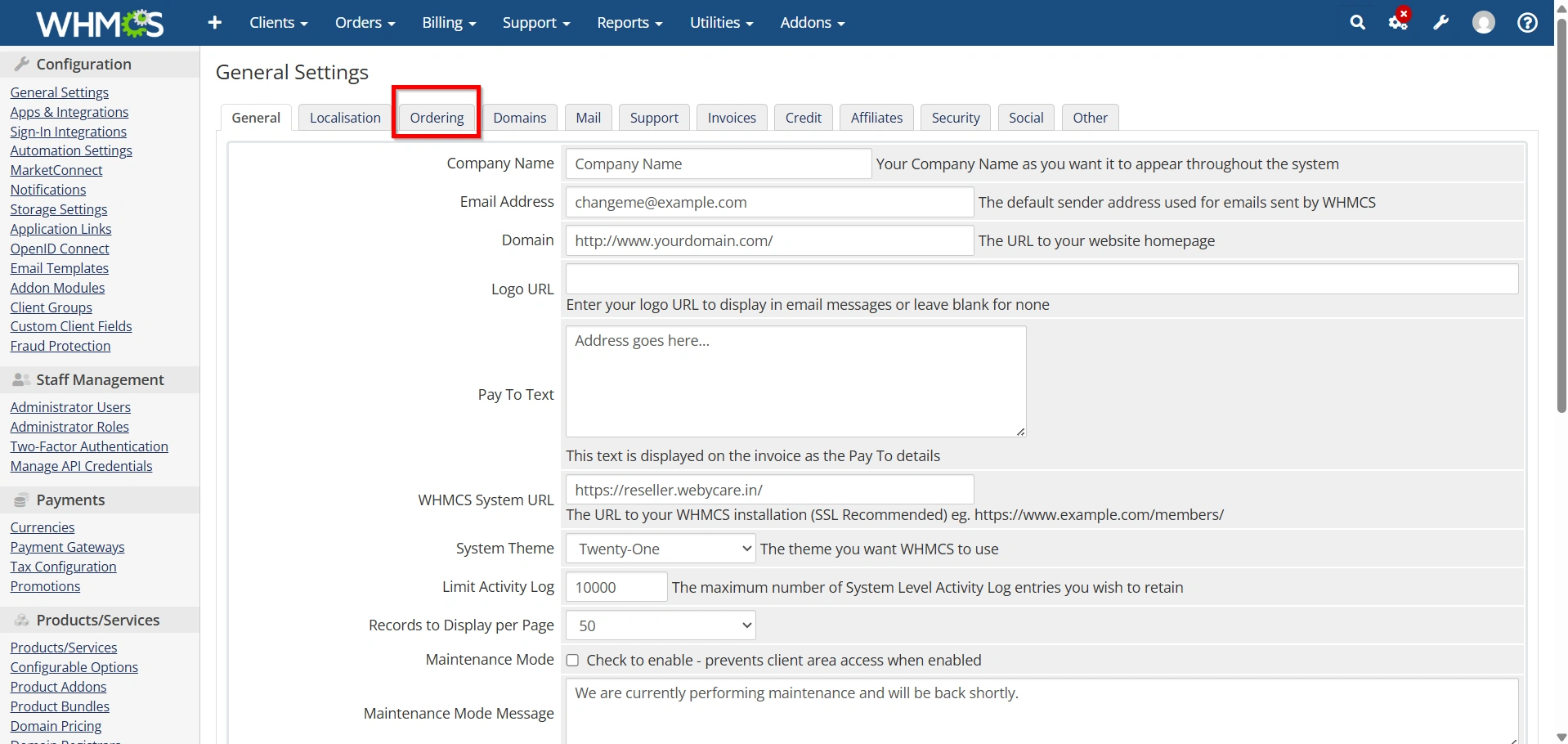
Configure:
- Default Order Form Template
- Product Recommendations
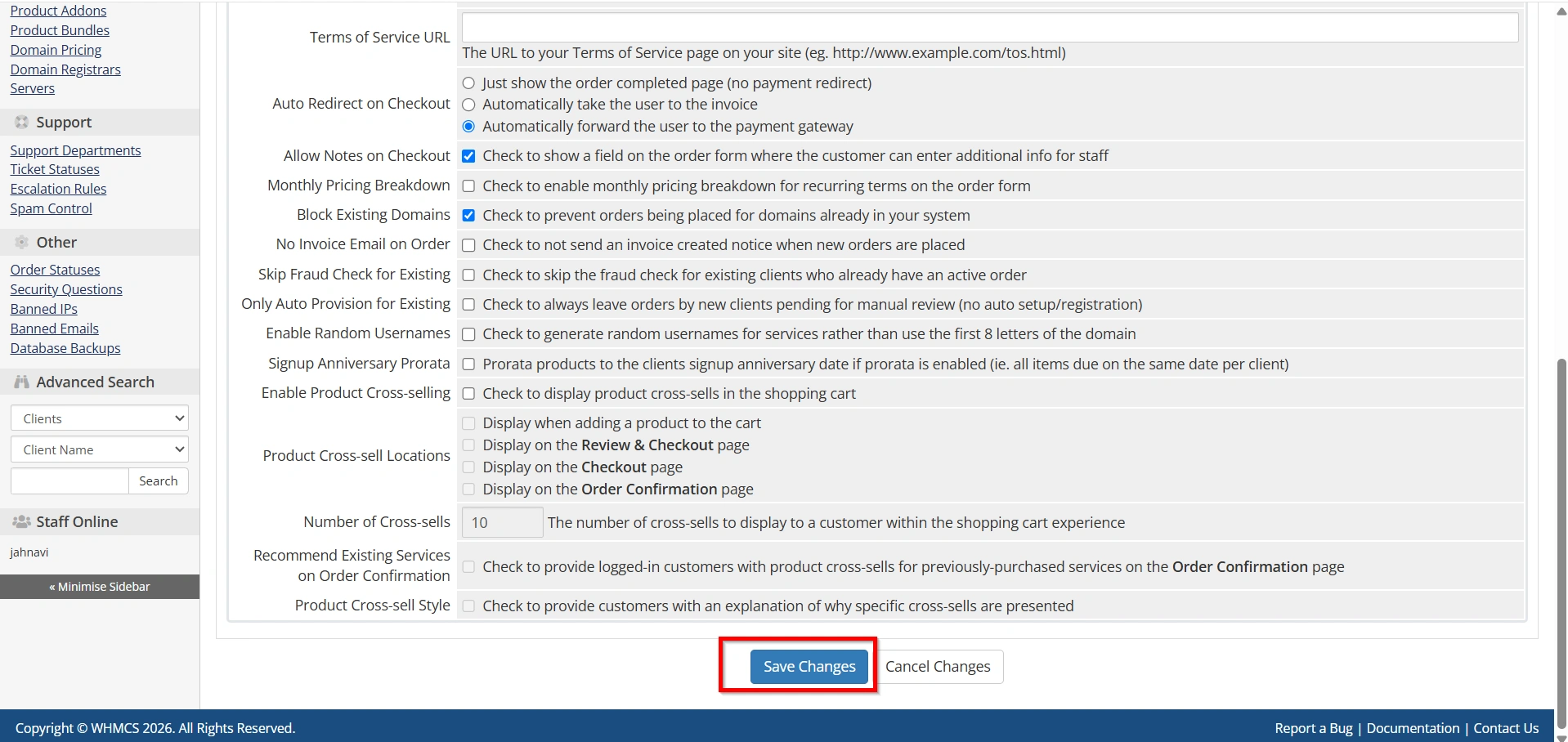
- Shopping Cart Behavior
- Domain Ordering Options
- Click Save Changes.
Step 6: Configure Domain Settings
- Navigate to the Domains tab.
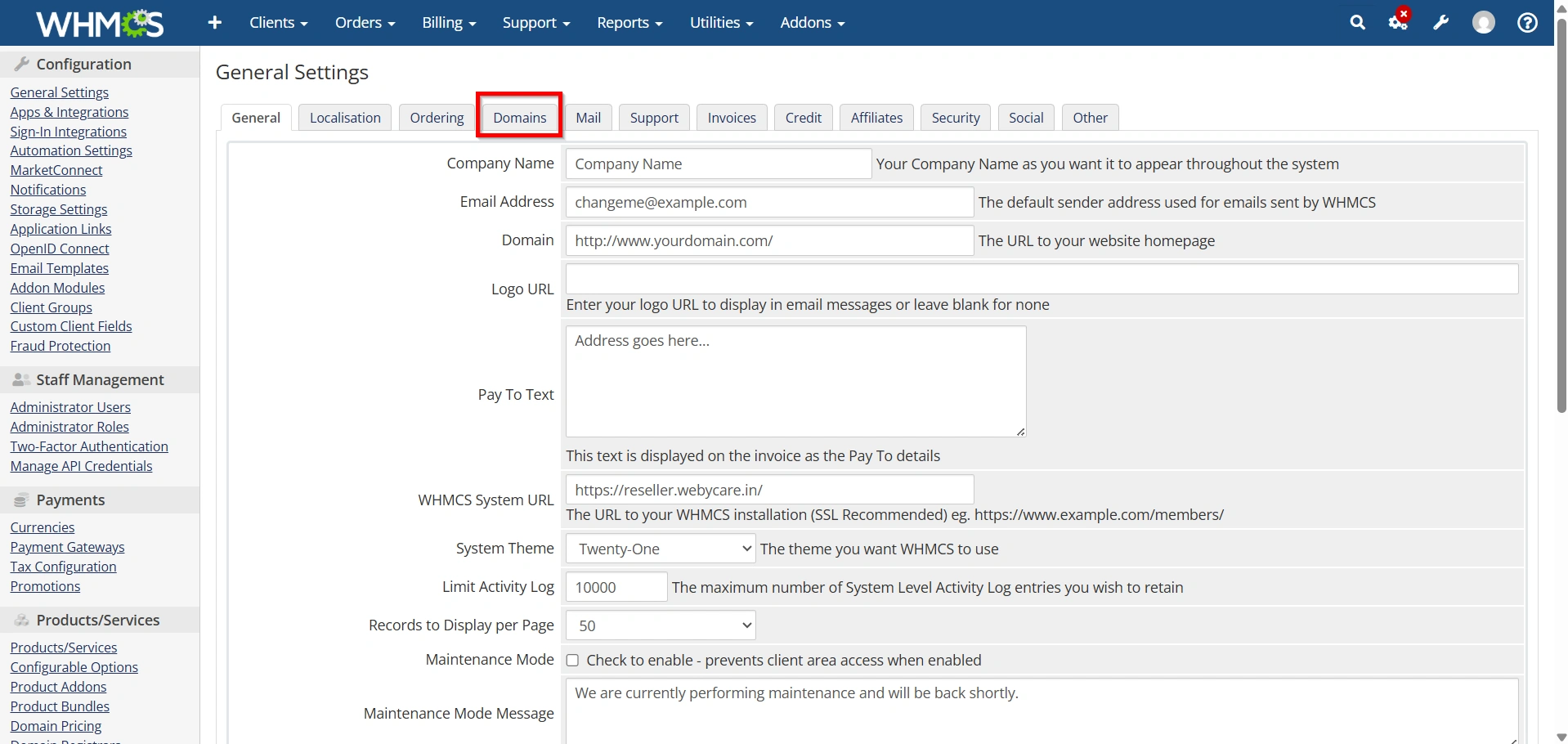
Configure:
- Domain Registration Settings
- Domain Transfer Options
- Domain Lookup Preferences
- Renewal Reminder Notices
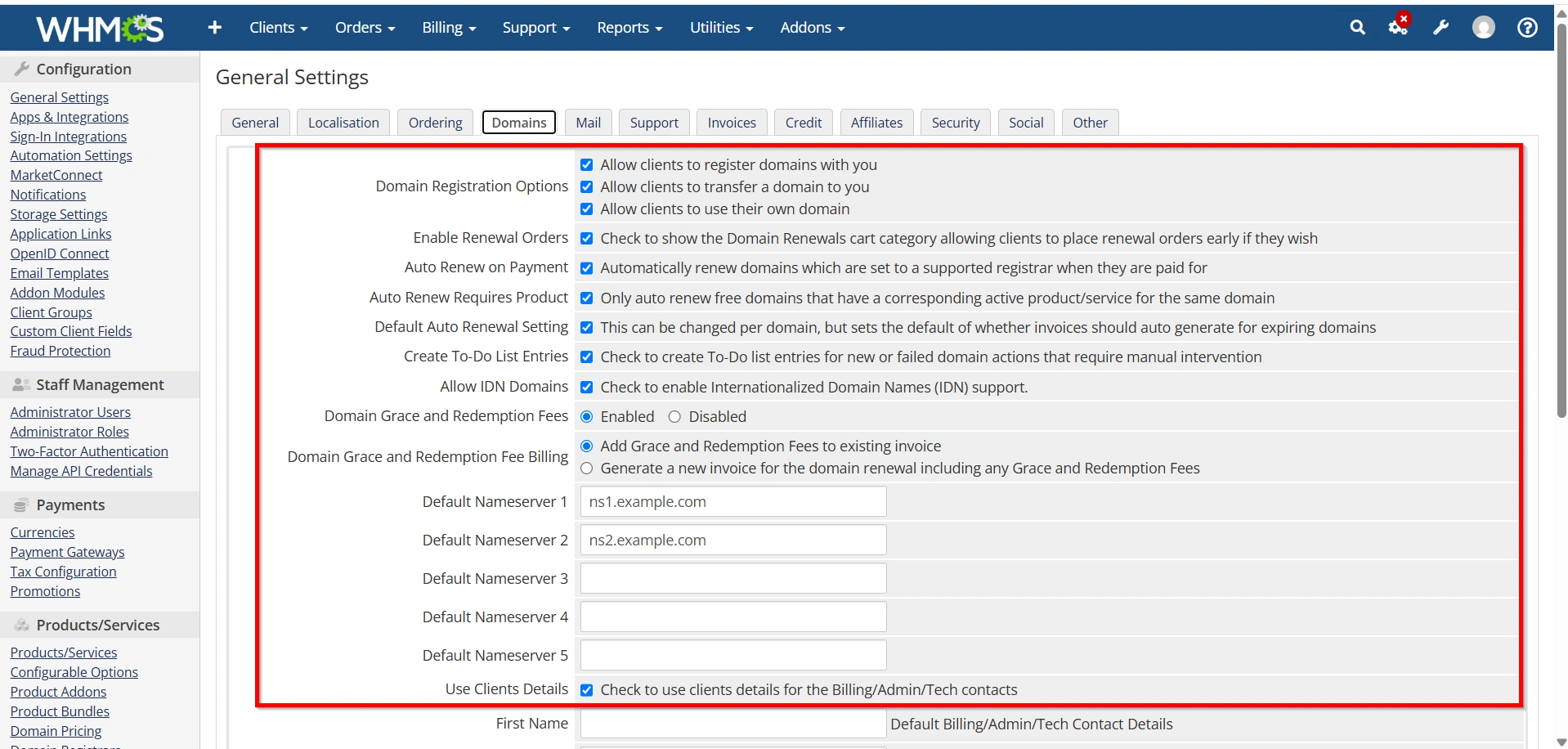
- Save the configuration.
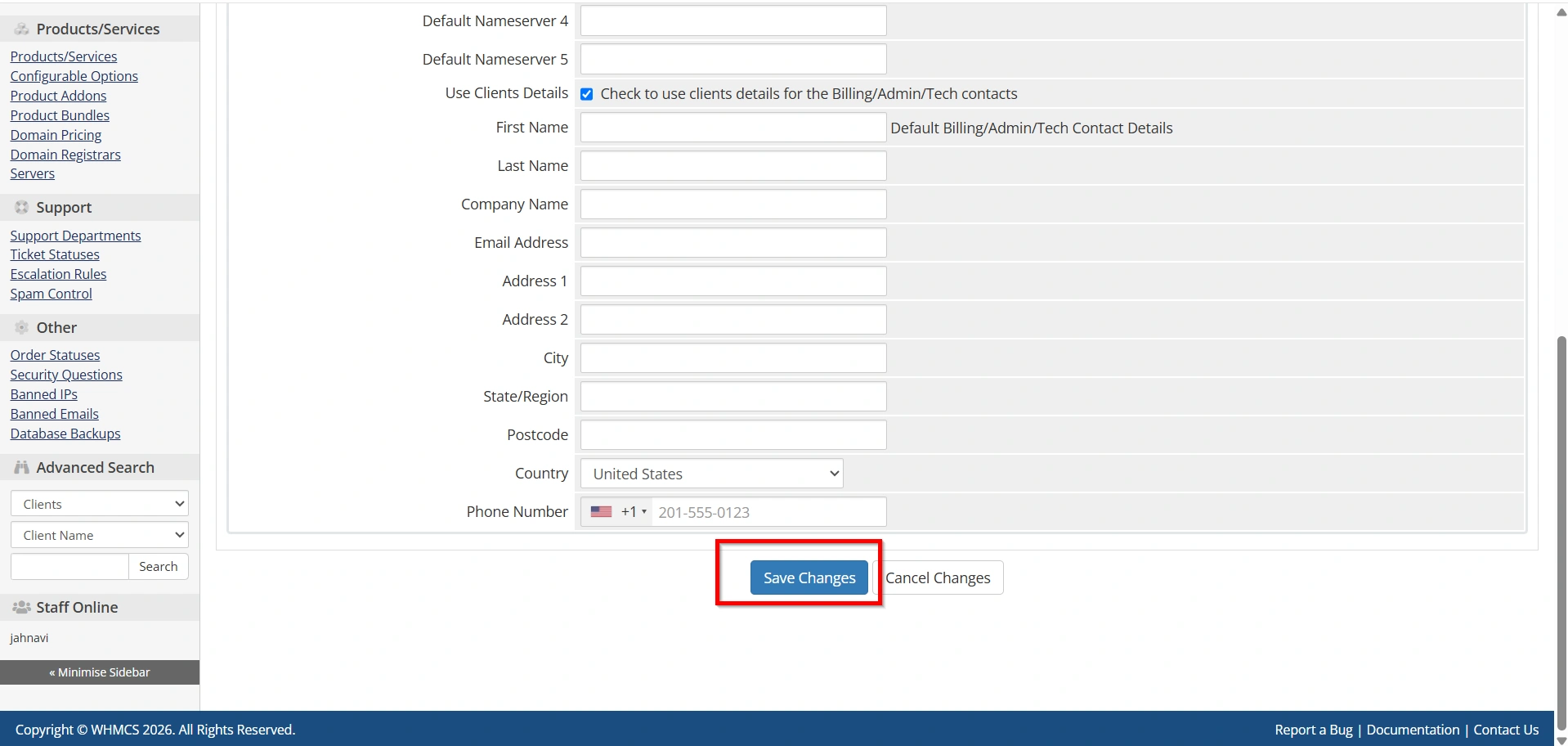
Step 7: Configure Mail Settings
- Open the Mail tab.
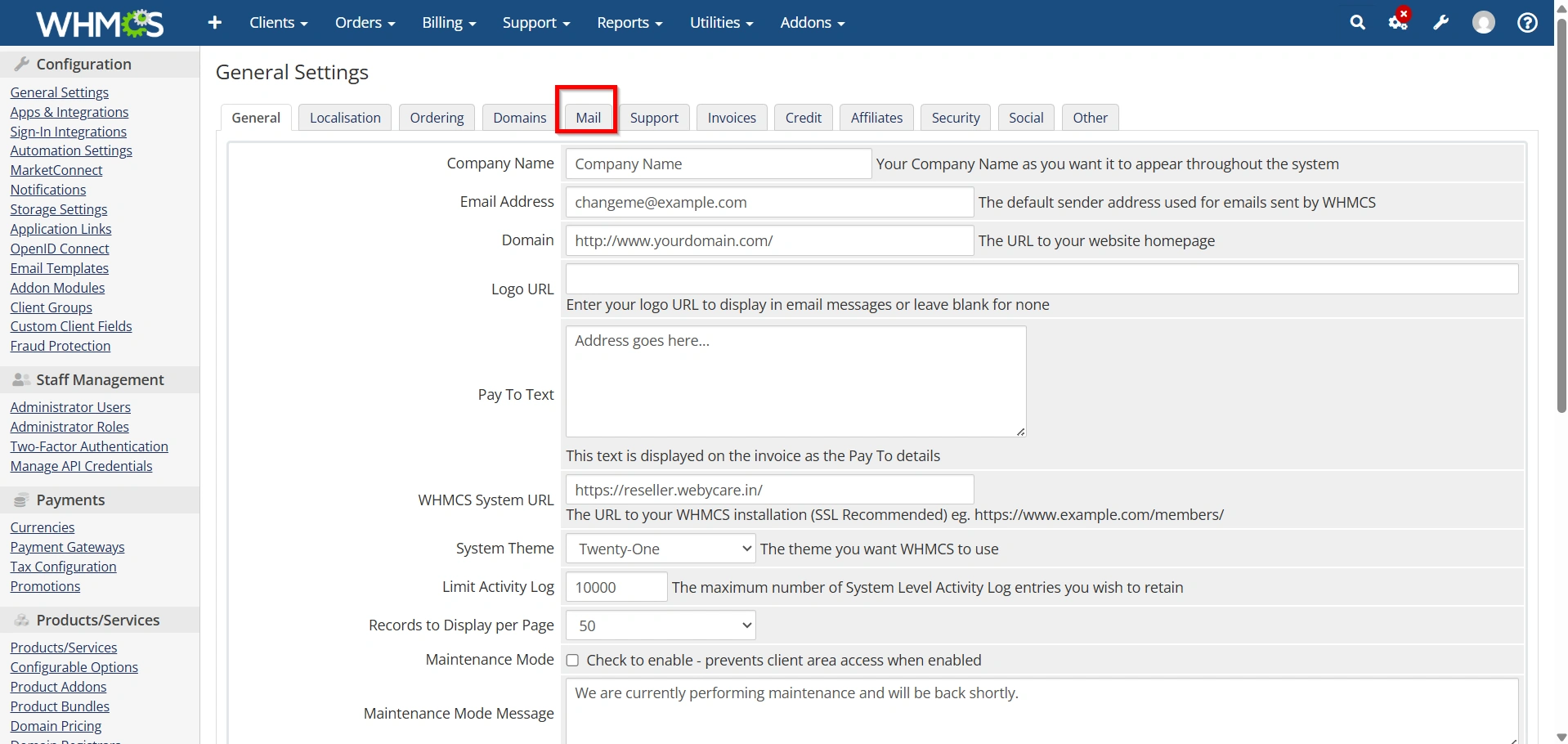
Set:
- Mail Provider
- SMTP Host
- SMTP Port
- SMTP Username
- SMTP Password
- Sender Information
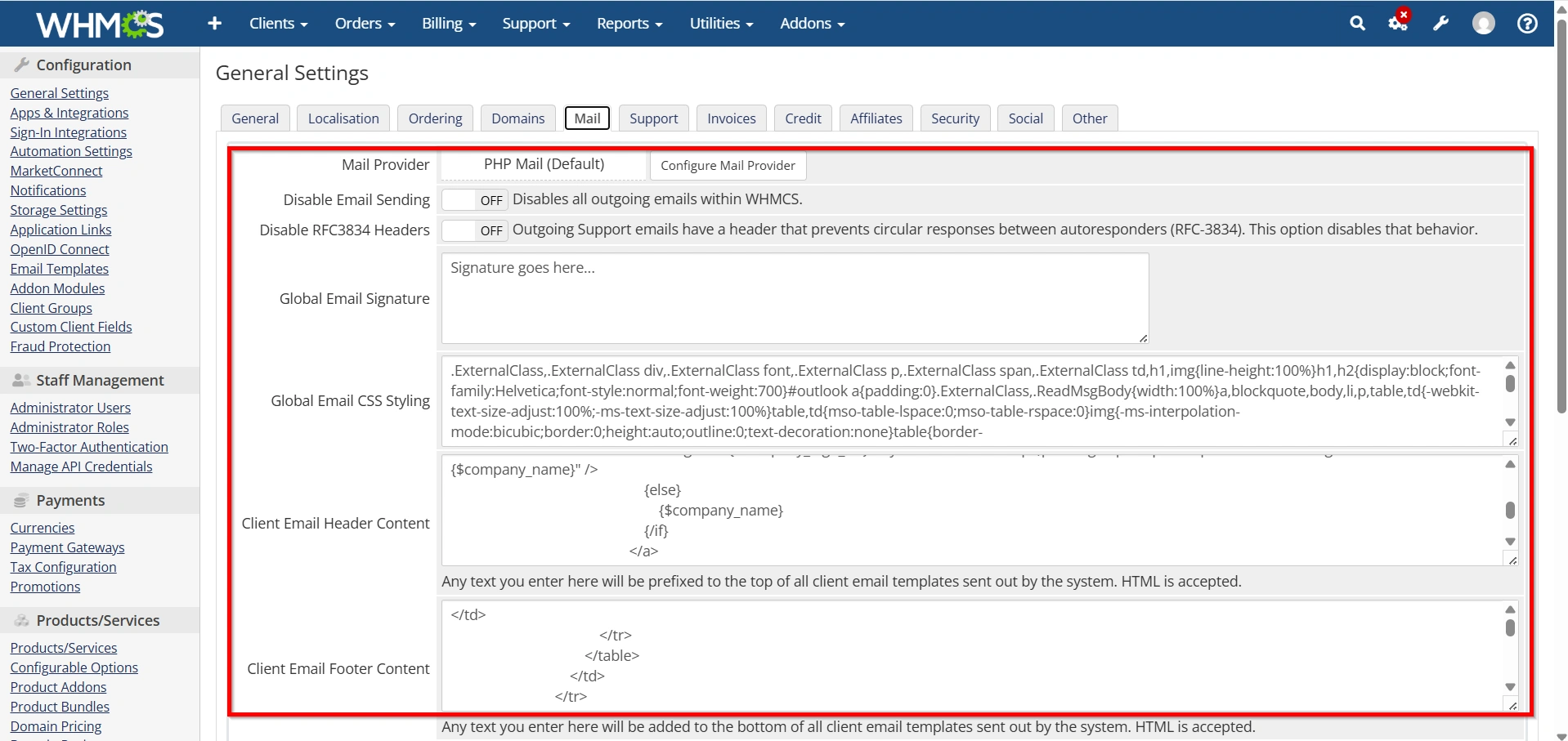
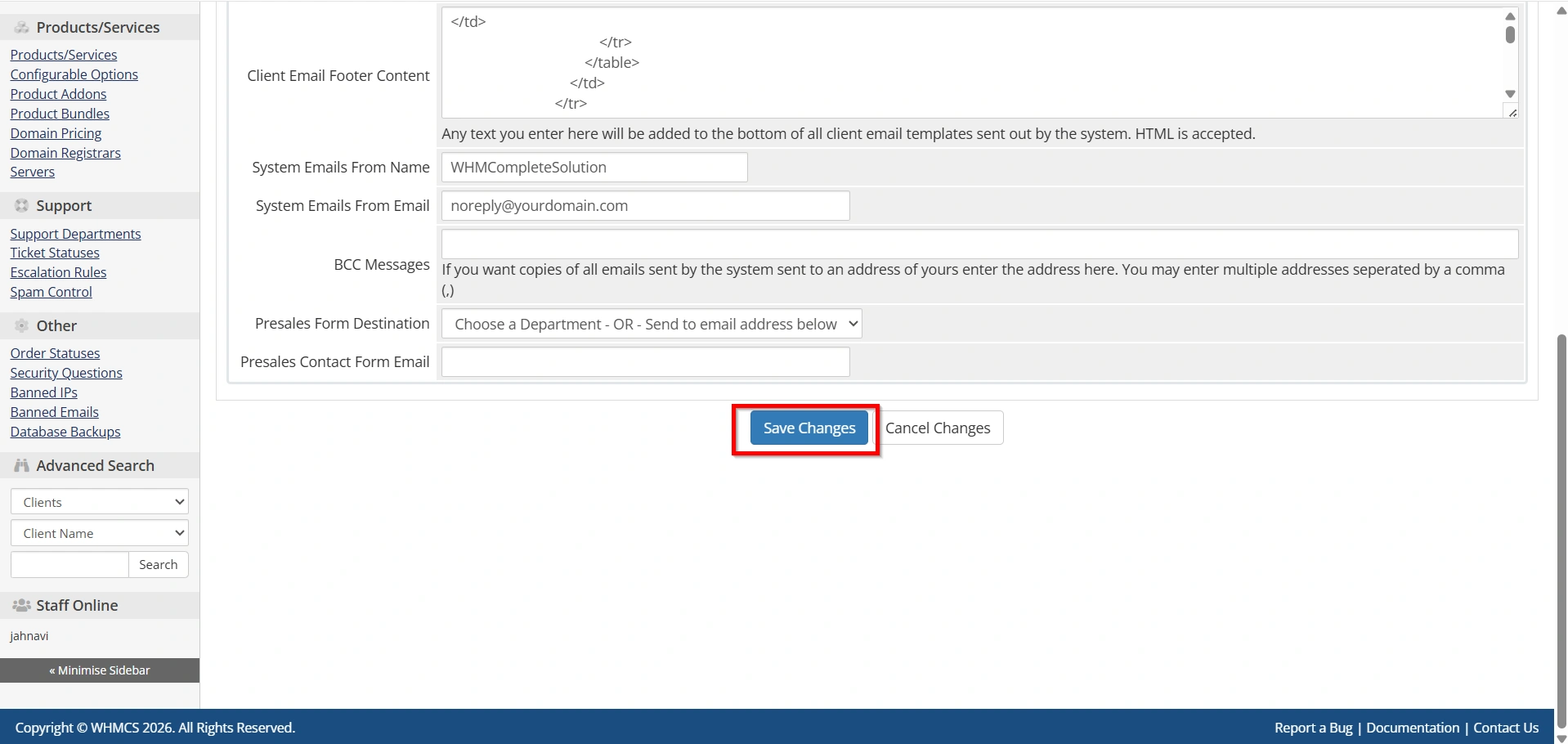
- Click Save Changes and send a test email if available.
Step 8: Configure Invoice Settings
- Select the Invoices tab.
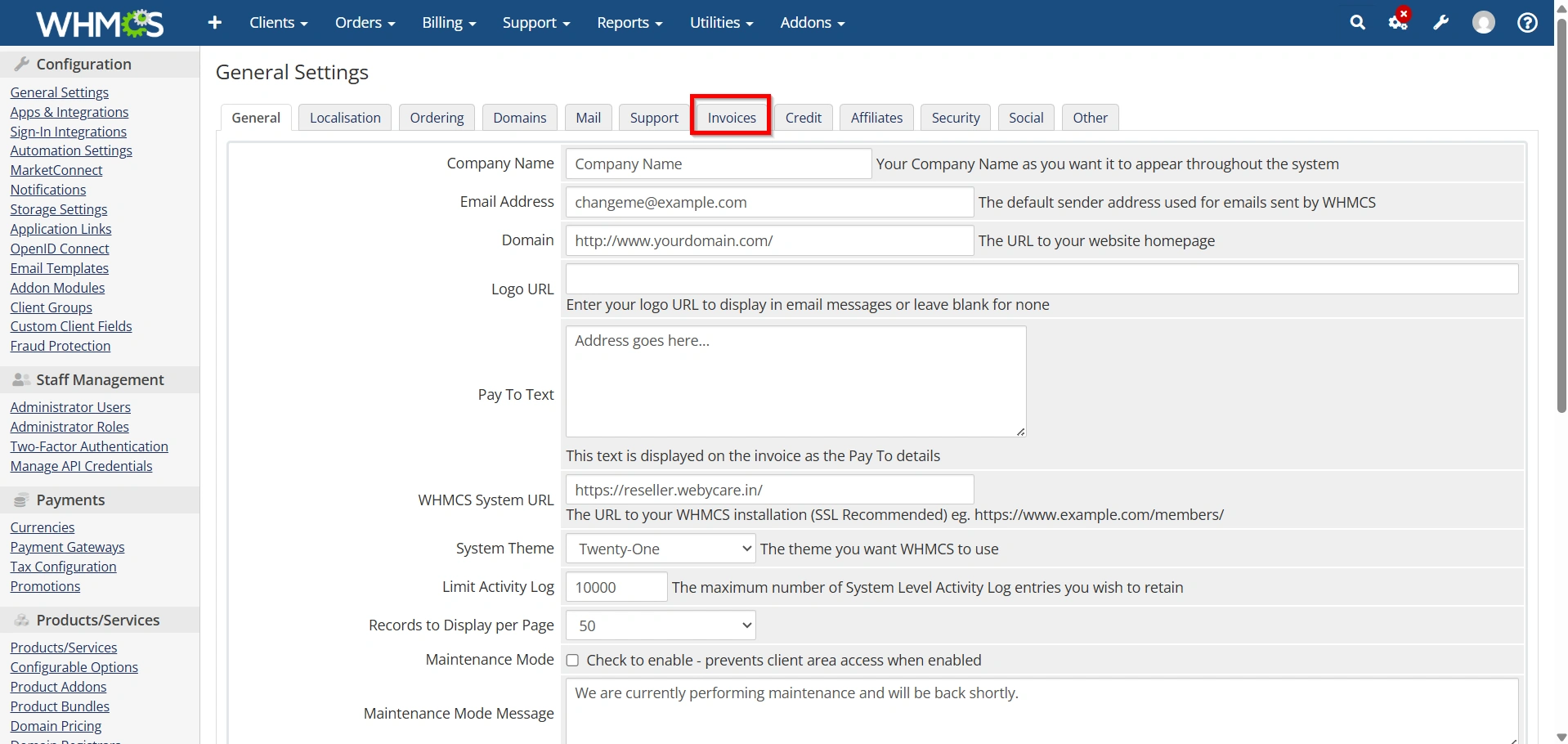
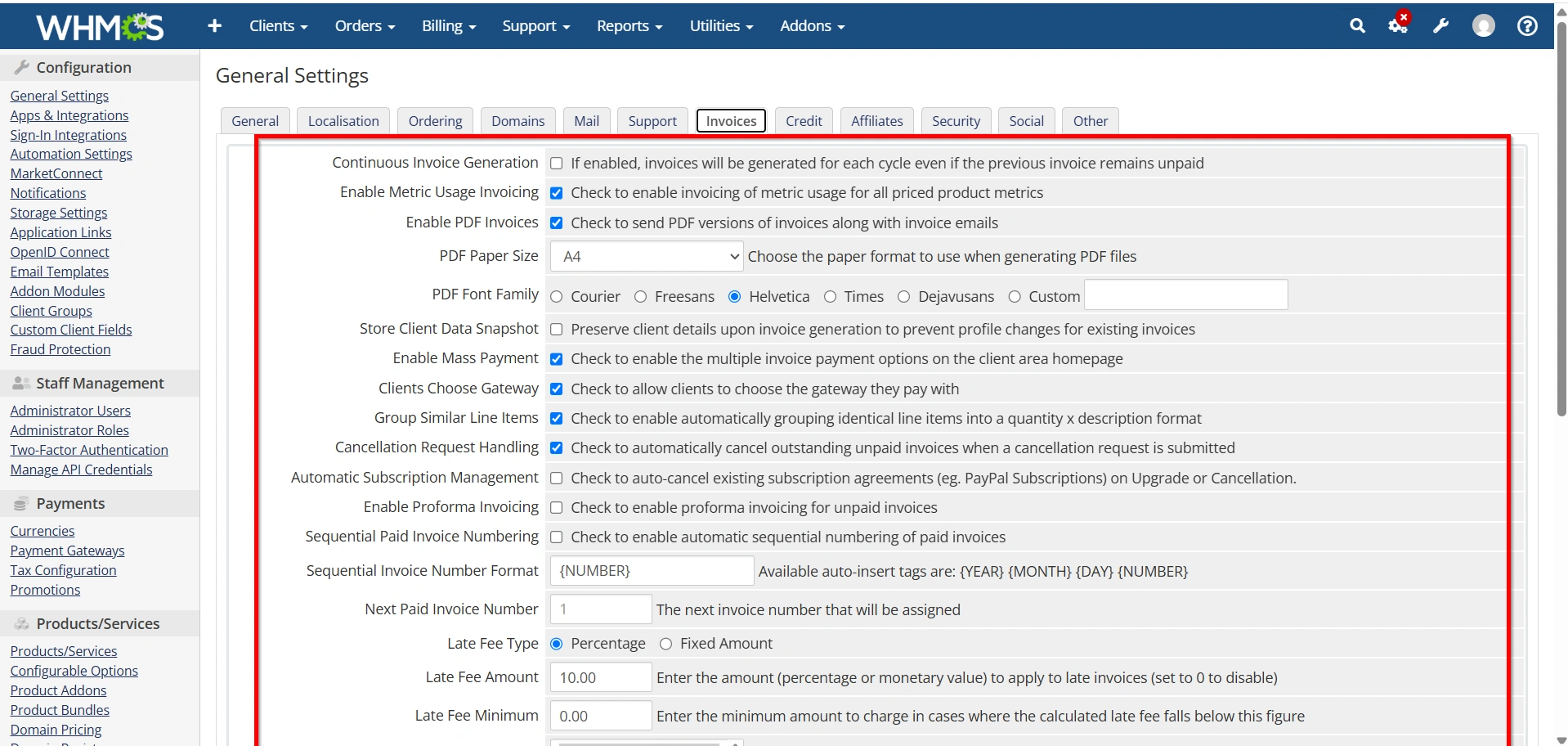
Configure:
- Invoice Numbering Format
- Due Date Settings
- PDF Invoice Options
- Late Fee Rules
- Tax Settings
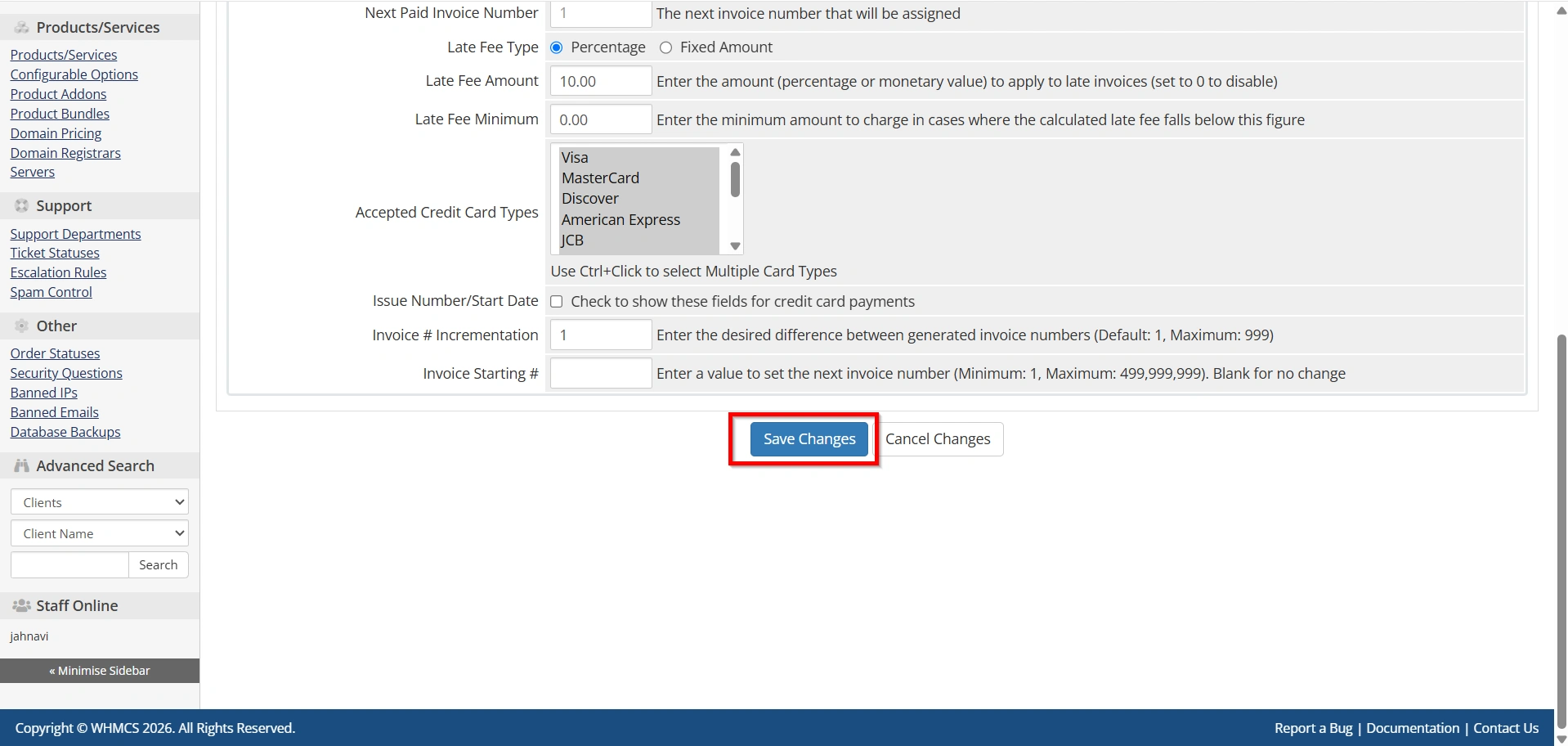
- Click Save your changes.
Step 9: Configure Security Settings
- Navigate to the Security tab.
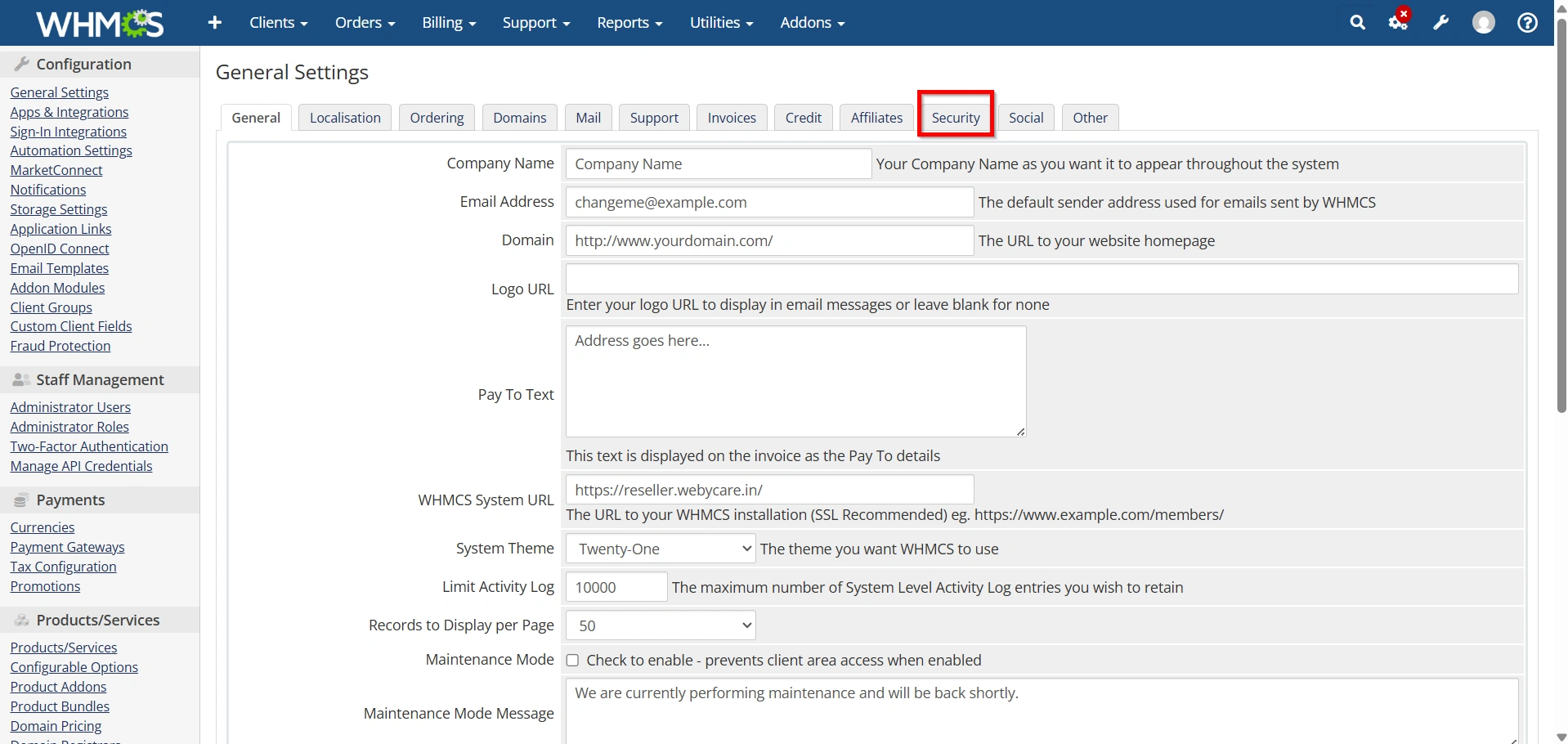
Configure:
- Two-Factor Authentication
- Password Strength Requirements
- CAPTCHA Settings
- Session Timeout Options
- Login Security Restrictions
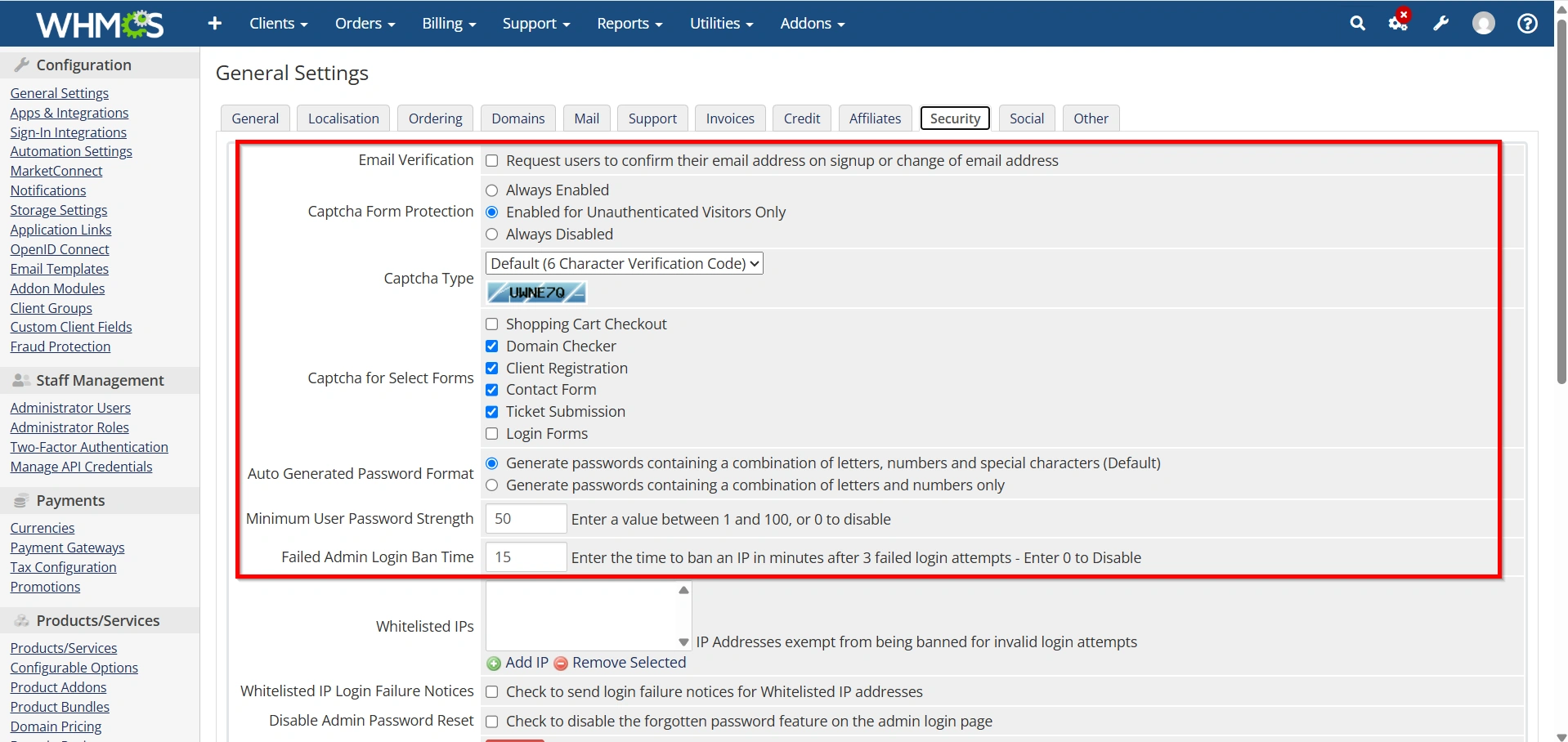
- Save the changes.
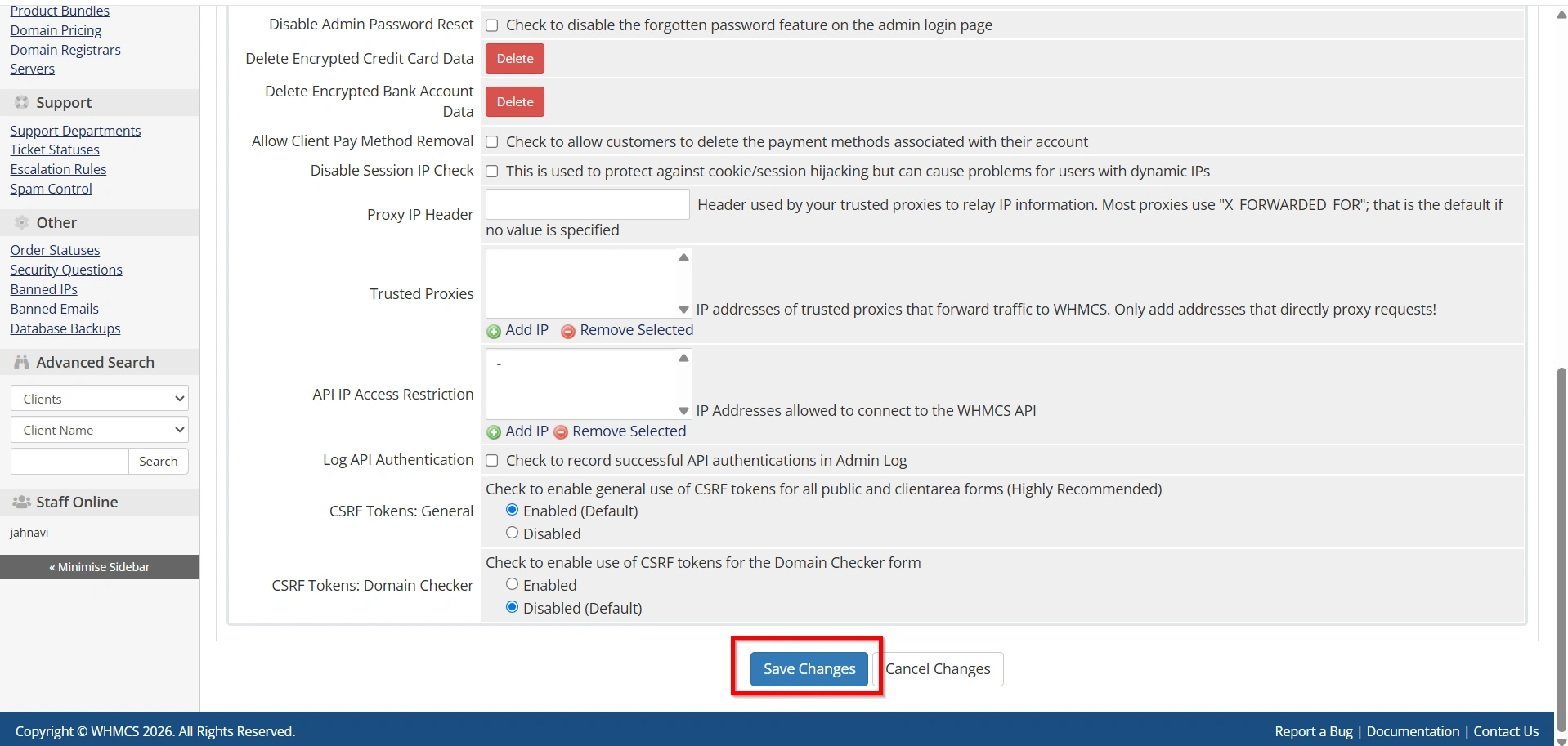
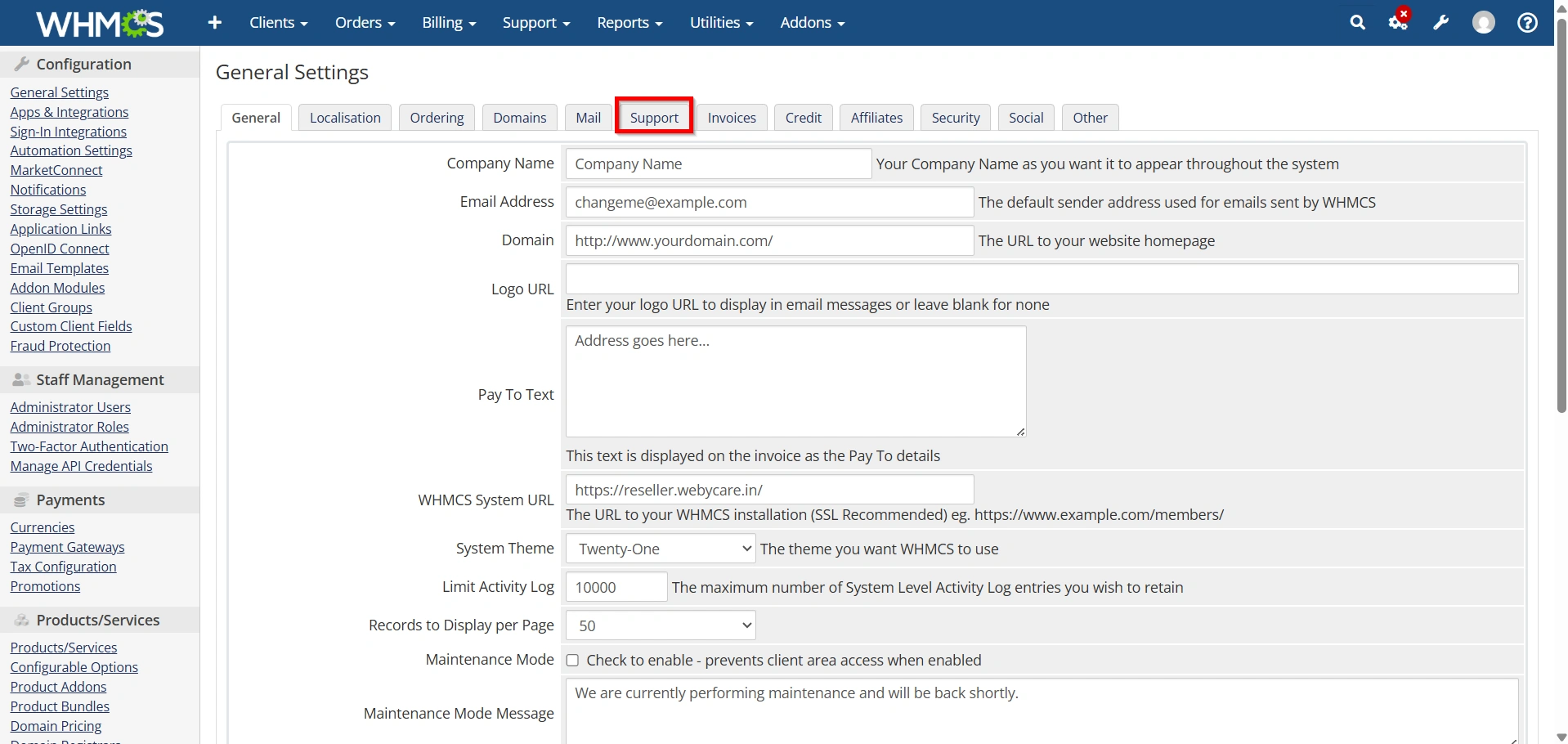
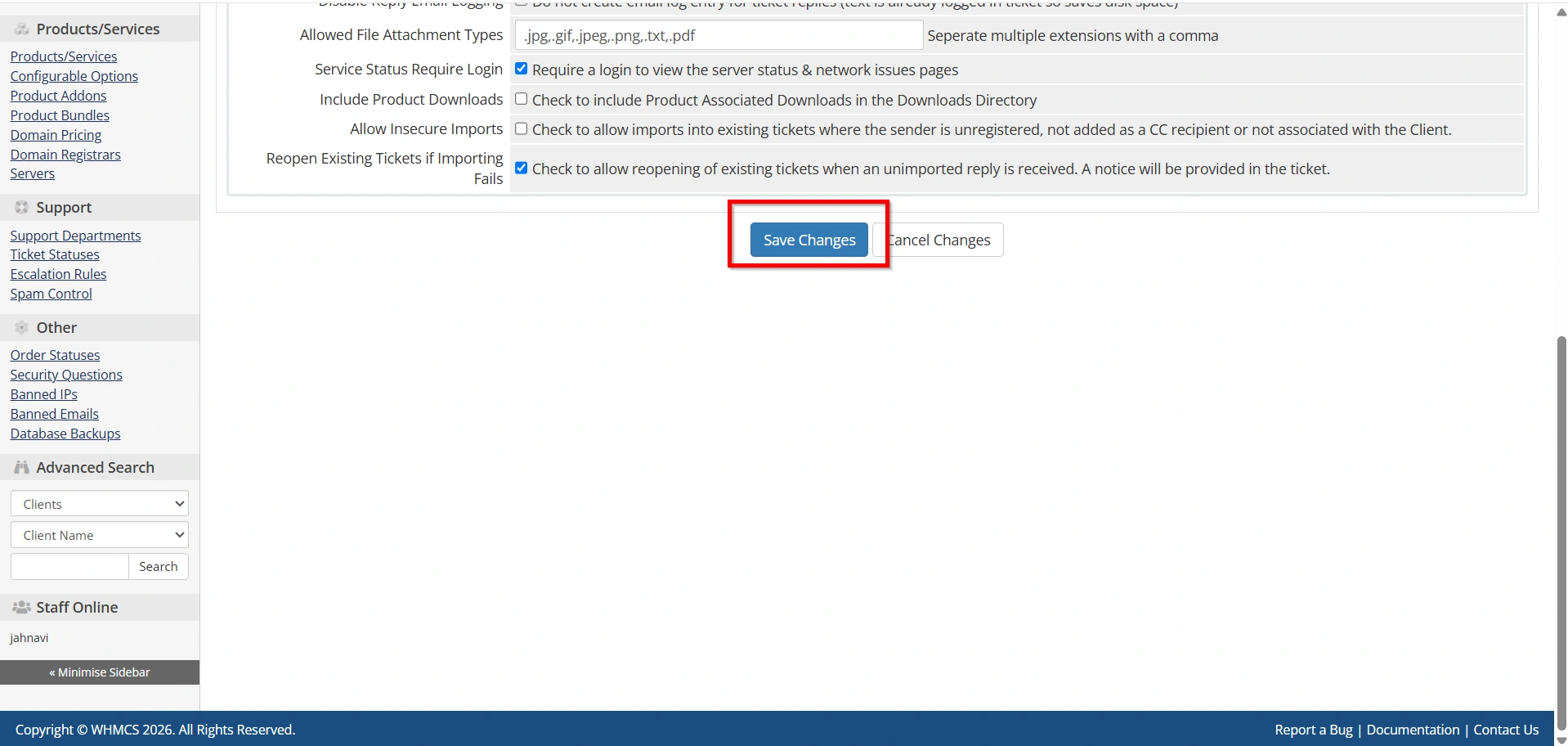
Step 10: Configure Support Settings
- Select the Support tab.
Configure:
- Ticket Preferences
- Auto-Response Settings
- Attachment Restrictions
- Support Department Options
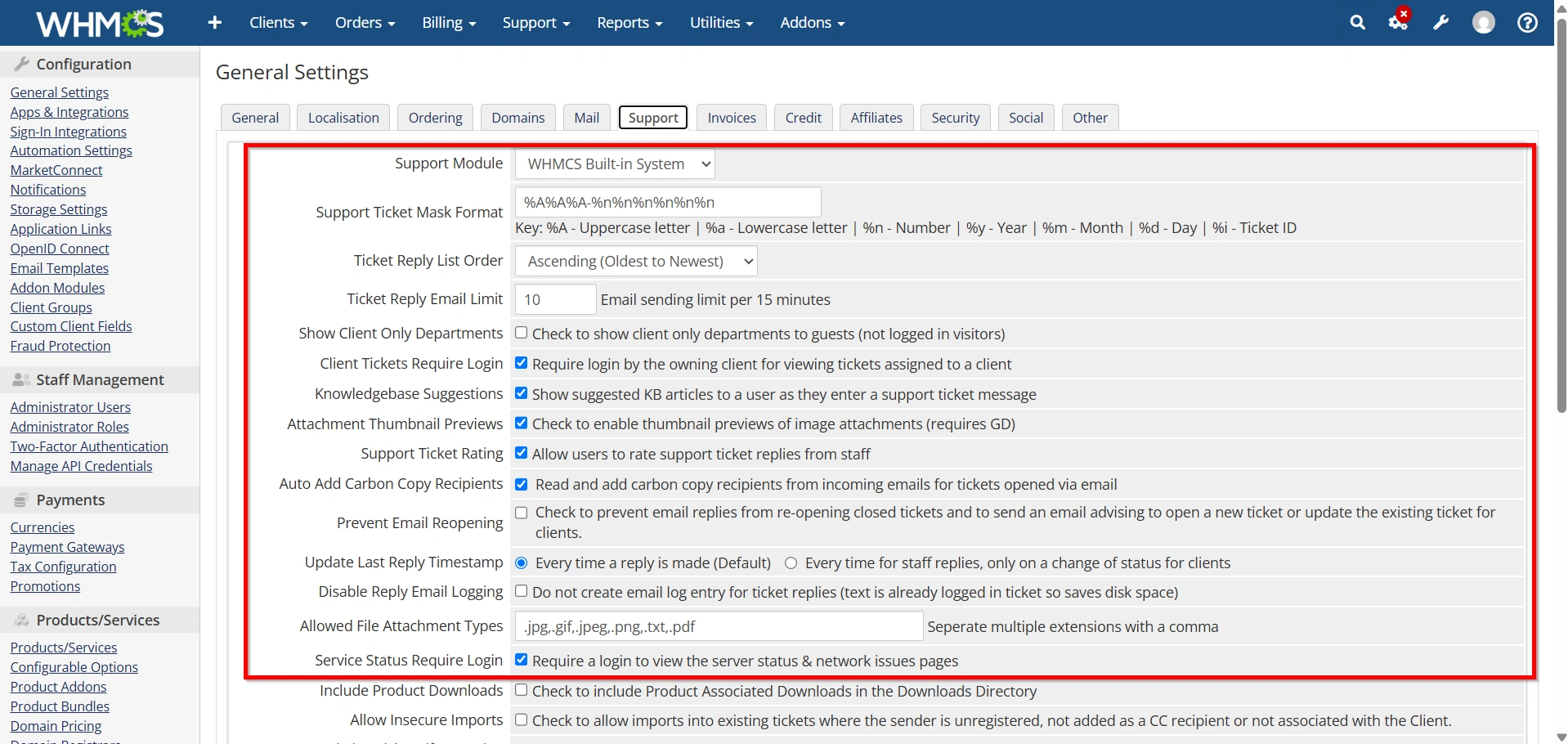
- Click Save Changes.
Best Practices for WHMCS General Settings
When configuring WHMCS General Settings, consider the following recommendations:
- Verify company information regularly.
- Use SMTP for email delivery.
- Enable Two-Factor Authentication.
- Configure automatic invoice generation.
- Review domain reminder schedules.
- Test client-facing functions after making changes.
- Keep localization settings consistent with your target audience.
- Periodically review security settings for improvements.
Following these best practices can help maintain a stable, secure, and professional WHMCS environment.
Benefits of Configuring WHMCS General Settings
1. Improves Business Branding
2. Enhances Customer Experience
3. Automates Billing Operations
4. Strengthens Security
5. Ensures Reliable Communication
Conclusion
WHMCS General Settings are the foundation of a successful WHMCS installation. From company information and localization preferences to mail delivery, invoicing, security, and support management, every setting plays an important role in the overall performance of your billing platform.
By taking the time to properly configure WHMCS General Settings, businesses can improve operational efficiency, enhance security, automate routine tasks, and provide a better experience for their customers. Regular reviews and updates of these settings will help ensure your WHMCS environment continues to operate smoothly as your business grows.
Originally published on WebyStrata.com Blog.
Related Articles