WHMCS
How to Create a Renewal Invoice Early
How to Create a Renewal Invoice Early There may be times where a client asks for you to invoice them for the next renewal date early. You cannot generate another invoice if the system…

How to Create a Renewal Invoice Early
There may be times where a client asks for you to invoice them for the next renewal date early.
- You cannot generate another invoice if the system has already generated the invoice for the next due date.
- If you have enabled Separate Invoices in the client’s profile or client group and select multiple items with the same next due date, the system will generate a single invoice.
- The status of the service, domain, or addon must be Pending, Active, or Suspended to generate an invoice.
In WHMCS 8.8 and later, the On-Demand Renewals feature allows early renewals in the Client Area with no manual intervention from you. For more information, see On-Demand Renewals.
For more information on separating invoices, see Creating Separate Renewal Invoices for a Client’s Services.
Invoice a client early
To do this in WHMCS:
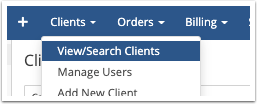
1. Go to Clients > View/Search Clients and search for the client:
2. Click on the client’s name to view their Summary tab:

3. Check the Products, Services, Addons, or Domains that you want to generate an invoice for:
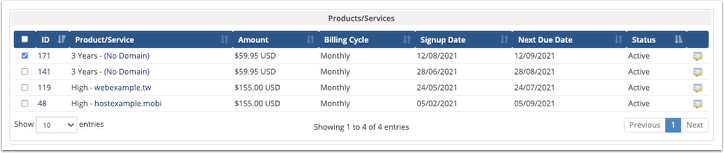
4. At the bottom of the page, click Invoice Selected Items:

The system will generate the next invoice for the service immediately.
Originally published on WebyStrata.com Blog.
Related Articles